
Technical SEO: A Complete Guide to Website Optimization in 2026
A website can have excellent content, carefully researched keywords, and an attractive design, yet still struggle to gain organic visibility. Sometimes, the problem isn’t the content at all. It is the technical foundation supporting the website.
Search engines need to discover your pages, crawl their content, understand their structure, and decide which pages deserve to appear in search results. If important pages are blocked, internal links are broken, duplicate URLs create confusion, or the website performs poorly on mobile devices, your SEO efforts may not deliver their full potential.
This is where technical SEO becomes important.
Technical SEO helps make a website accessible, understandable, crawlable, indexable, and efficient for both search engines and users. It is not about applying complicated tricks or chasing every new ranking factor. It is about identifying the problems that prevent a website from performing as it should and fixing them in the right order.
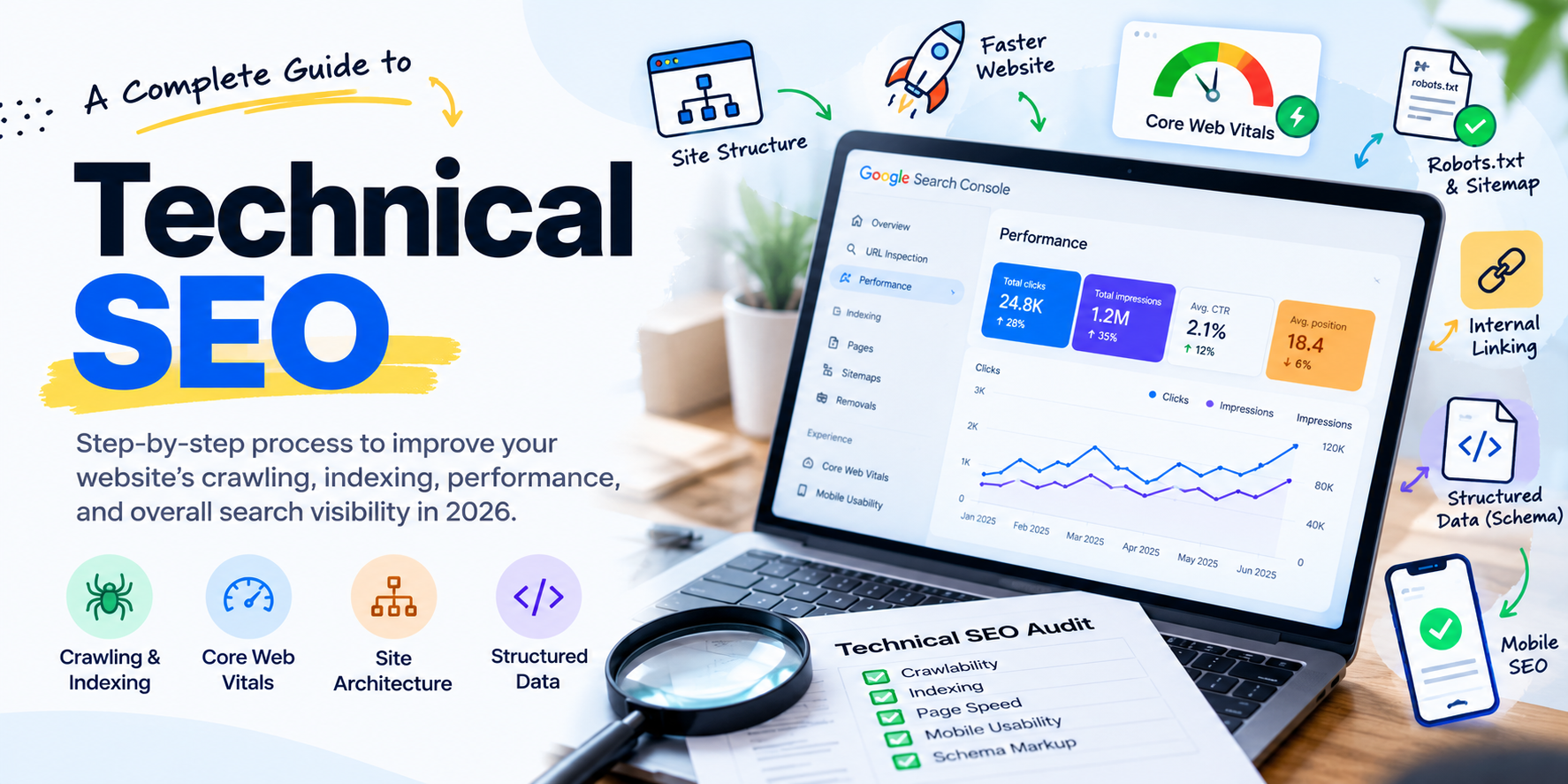
In this guide, I’ll explain technical SEO step by step, including crawling and indexing, website architecture, XML sitemaps, robots.txt, canonical tags, Core Web Vitals, structured data, JavaScript SEO, and a practical technical SEO audit checklist.
Whether you manage a WordPress blog, a Shopify store, a corporate website, or a large e-commerce platform, the principles discussed here will help you build a stronger technical foundation for organic growth.
Table of Contents
What Is Technical SEO?
Why Technical SEO Matters
How Search Engines Discover and Index Websites
Website Architecture and URL Structure
Crawling and Indexing Optimization
XML Sitemap and Robots.txt
Canonical Tags and Duplicate Content
Website Speed and Core Web Vitals
Mobile SEO and Responsive Design
HTTPS and Website Security
Structured Data and Schema Markup
JavaScript SEO
Internal Linking and Breadcrumbs
Image Optimization
Redirects, 404 Errors, and Broken Links
Technical SEO for E-commerce Websites
Technical SEO for AI Search, AEO, and GEO
Best Tools for a Technical SEO Audit
Step-by-Step Technical SEO Audit Checklist
Common Technical SEO Mistakes
How to Prioritize Technical SEO Fixes
Frequently Asked Questions
Final Thoughts
1. What Is Technical SEO?
Technical SEO is the process of improving a website’s technical setup so search engines can access, crawl, understand, and index its important content effectively.
It covers the infrastructure behind your website rather than just the words on a page.
For example, consider a business that publishes 50 useful blog posts but accidentally adds a noindex directive to its blog template. The content may be excellent, but search engines are being told not to index those pages.
Similarly, an e-commerce website might have thousands of product URLs created by filters, sorting options, and tracking parameters. Without proper URL management, search engines may spend time crawling unnecessary variations instead of discovering important products.
Technical SEO helps identify and resolve these issues.
What does technical SEO include?
The main areas are:
Crawlability: Can search engines access the important pages and resources?
Indexability: Are the pages eligible to appear in search results?
Site architecture: Is the website organized logically?
URL management: Are URLs consistent, understandable, and properly consolidated?
Website performance: Does the website load and respond efficiently?
Mobile usability: Can visitors use the website comfortably on smaller screens?
Structured data: Can supported search features interpret eligible information about your content?
Security: Is the website served securely over HTTPS?
Error management: Are redirects, broken links, and server errors handled correctly?
Technical SEO works alongside on-page SEO, content strategy, and off-page SEO. None of these disciplines completely replaces the others.
A technically sound website with weak content may still struggle to rank. Equally, outstanding content may underperform if search engines cannot access it properly.
The objective is to remove avoidable technical barriers so your content and other SEO efforts have a better opportunity to succeed.
2. Why Is Technical SEO Important?
Technical SEO matters because search engines cannot rank content they cannot properly discover and process. It also affects how easily visitors can navigate your website and complete important actions.
Imagine a potential customer searching for a service you provide. Your website has a relevant service page, but the page is missing from the sitemap, has no internal links, and is accidentally marked noindex.
Even if the page offers exactly what the customer needs, it may not appear in organic search results.
Fixing the technical problem will not guarantee a ranking, but it removes a barrier that could prevent the page from competing.
Key benefits of technical SEO
1. Better crawling and indexing
A logical website structure and accessible internal links help search engines discover important pages. Correct indexing directives help ensure the pages intended for search visibility remain eligible for inclusion.
2. Improved user experience
Faster loading, responsive layouts, stable page elements, and functioning navigation make websites easier to use.
3. Better control over duplicate URLs
Canonicalization and appropriate redirects help consolidate signals where several URLs represent the same or substantially similar content.
4. More efficient website management
Regular audits help identify broken links, outdated redirects, accidental indexing restrictions, and other problems before they become widespread.
5. Stronger foundations for organic growth
When technical barriers are removed, useful content and relevant pages have a better chance of being discovered and evaluated by search engines.
However, technical SEO should be approached realistically. Fixing every warning from an SEO tool is not the goal. The goal is to solve issues that affect crawling, indexing, user experience, or the visibility of valuable content.
3. How Search Engines Discover and Index Websites
Before performing a technical SEO audit, it helps to understand how search engines process web pages.
The process can be simplified into three stages: crawling, indexing, and serving search results.
Step 1: Crawling
Search engines use automated programs, known as crawlers, to discover URLs and request page content.
They may discover a page through internal links, links from other websites, or an XML sitemap.
For example, if you publish a new article about technical SEO and link to it from your blog page, that internal link gives a crawler a path to discover the article.
If the article is completely isolated, with no internal links pointing to it, discovery may become more difficult.
Step 2: Indexing
After discovering a URL, a search engine processes its content and determines whether and how it should be included in its index.
During this stage, factors such as the page’s content, indexing directives, canonical signals, and accessibility can affect how it is handled.
A page being crawled does not automatically mean it will be indexed.
Step 3: Serving search results
When someone performs a search, the search engine selects and orders results based on relevance, quality, and many other signals.
Being indexed does not guarantee that a page will rank well or appear for every relevant query.
This distinction is important during technical audits.
If a page is not receiving organic traffic, first establish whether it is discoverable and indexed. If it is indexed but still not attracting visitors, you may need to investigate search intent, content quality, competition, relevance, and internal linking rather than assuming the problem is technical.
4. Website Architecture and URL Structure
Website architecture describes how pages are organized and connected.
A clear structure helps visitors navigate the website and gives search engines a better understanding of the relationship between pages.
For a digital marketing consultant, a logical structure might look like this:
Homepage
SEO Services
Technical SEO
Local SEO
SEO Audits
AEO and GEO Services
Performance Marketing
Case Studies
Blog
Technical SEO Guides
AI Search Optimization
E-commerce Marketing
About
Contact
This structure groups related content and creates opportunities for useful internal links.
Keep URLs simple and descriptive
A good URL tells visitors what a page is about without unnecessary complexity.
For example:
example.com/technical-seo/
is generally easier to understand than:
example.com/page?id=872&category=marketing
Descriptive URLs are particularly useful when they reflect the website’s actual content hierarchy.
Best practices include:
Use short, meaningful slugs.
Separate words with hyphens.
Avoid unnecessary parameters.
Maintain a consistent URL convention.
Avoid changing established URLs without a good reason.
Use redirects when URLs genuinely need to change.
You do not need to force every keyword into a URL. Clarity and consistency matter more than repeatedly inserting variations of the same phrase.
How deep should important pages be?
Important pages should be accessible through sensible navigation and internal links.
A useful rule of thumb is to avoid burying valuable pages several unnecessary clicks deep. However, there is no universal rule that every page must be within exactly three clicks of the homepage.
The correct structure depends on the website’s size, content hierarchy, and user journeys.
For smaller websites, a simple architecture is usually sufficient. Large e-commerce websites require more careful planning because products, categories, filters, and pagination can create many URL variations.
5. Crawling and Indexing Optimization
Crawling and indexing are two of the most important parts of technical SEO because they determine whether search engines can access and consider your content for search visibility.
Check indexing status in Google Search Console
Google Search Console should be one of your first stops during a technical SEO audit.
Open the Page indexing report and review the URLs that are indexed and those that are not.
Pay particular attention to patterns such as:
Pages blocked by robots.txt.
Pages excluded by a
noindexdirective.Pages returning 404 errors.
Redirected URLs.
Duplicate pages where Google selected a different canonical.
Discovered URLs that have not been indexed.
Crawled URLs that have not been indexed.
These statuses do not all indicate errors.
For example, a thank-you page, login page, or internal search-results page may be intentionally excluded from indexing. The problem occurs when valuable pages are excluded unintentionally.
Use URL Inspection
The URL Inspection tool helps you investigate individual pages.
For an important service page, check:
Whether Google knows about the URL.
Whether the URL is indexed.
The canonical URL Google selected, where available.
Whether crawling is allowed.
Whether the page can be fetched and rendered.
Whether the live page differs from the version Google previously processed.
If you have corrected a problem, you can request indexing for an eligible URL. This is a request, not a guarantee that Google will index the page immediately.
Understand the difference between crawling and indexing
A common mistake is treating every non-indexed page as a technical error.
A page may be crawled but not indexed because Google considers it insufficiently useful, substantially duplicative, or otherwise unsuitable for inclusion.
In that situation, adding the URL to a sitemap may not solve the problem.
Review the page’s purpose, originality, quality, internal links, and canonical signals before deciding what needs to change.
6. XML Sitemap and Robots.txt
An XML sitemap and a robots.txt file serve different purposes. Both should be configured carefully.
What is an XML sitemap?
An XML sitemap lists URLs you want search engines to discover and consider for crawling.
A typical WordPress website may automatically generate a sitemap through WordPress itself or an SEO plugin such as Rank Math or Yoast SEO.
A sitemap often looks like this:
https://example.com/sitemap_index.xml
The actual URL depends on your website configuration.
A good XML sitemap should:
Include the canonical URLs you want indexed.
Exclude URLs that redirect or return errors.
Exclude pages intentionally marked
noindex.Update when relevant content changes.
Use the correct HTTPS version of your website.
Be submitted through Google Search Console.
A sitemap helps with discovery, but it does not force search engines to crawl or index every listed page.
Google’s sitemap guidance explains how to build and submit sitemaps correctly. Read the official documentation.
What is robots.txt?
The robots.txt file provides crawling instructions to compliant crawlers.
It is generally located at the root of your domain:
https://example.com/robots.txt
A simple example is:
User-agent: *
Disallow: /wp-admin/
Allow: /wp-admin/admin-ajax.php

Sitemap: https://example.com/sitemap_index.xml
This is only an illustrative example. Always verify the correct sitemap URL and your site’s requirements before using it.
Important distinction: robots.txt versus noindex
Robots.txt controls crawling; it is not a reliable way to remove a page from Google’s index.
If a URL is blocked from crawling, Google may still discover the URL through external links and, in some circumstances, show it without a descriptive snippet.
If you want to prevent a page from being indexed, use an appropriate noindex directive and make sure the crawler can access the page to see that directive. Password protection is another option for genuinely private content.
Do not block a page in robots.txt and expect Google to read its noindex tag.
This is a small technical distinction that can make a substantial difference when diagnosing indexing issues.
7. Canonical Tags and Duplicate Content
Duplicate URLs are common on modern websites.
A product may be accessible through multiple category paths. A page may also appear with tracking parameters, filter parameters, or alternative URL formats.
For example:
example.com/product/example.com/product/?utm_source=newsletterexample.com/category/product/
These URLs may or may not represent substantially duplicate content. The correct treatment depends on the site’s structure.
What is a canonical tag?
A canonical tag indicates the preferred URL for a page among duplicate or substantially similar versions.
For example:
<link rel="canonical" href="https://example.com/technical-seo/" />If this is the preferred URL, the page’s canonical tag should point to that URL.
Canonical tags are signals rather than absolute commands. Google may choose a different canonical when other evidence suggests another URL is more appropriate.
Canonicalization best practices
Use absolute canonical URLs.
Keep canonical tags consistent with internal links and sitemap URLs.
Avoid pointing unrelated pages to the same canonical URL.
Use self-referencing canonicals where appropriate.
Avoid unnecessary chains of redirects.
Check that HTTP and HTTPS versions resolve consistently.
Review parameter-based URLs on e-commerce websites.
Should every page have a canonical tag?
A self-referencing canonical is a common and useful practice, but the more important goal is to make your URL signals consistent.
For pages that have substantially different content, do not point all of them to a single preferred page simply to consolidate URLs.
For more details, refer to Google’s canonicalization documentation.
8. Website Speed and Core Web Vitals
Website performance is another important part of technical SEO, but it should not be reduced to a single PageSpeed score.
A website can achieve a high laboratory score and still provide a poor experience to some real users. Conversely, a single score from a testing tool does not tell you everything about a page’s usability.
The goal is to understand what visitors experience and fix the biggest performance bottlenecks.
What are Core Web Vitals?
Core Web Vitals measure three important aspects of user experience:
Largest Contentful Paint (LCP): Measures how quickly the main visible content loads.
Interaction to Next Paint (INP): Measures responsiveness to user interactions.
Cumulative Layout Shift (CLS): Measures unexpected visual movement during page loading.
The commonly recommended good thresholds are:
| Metric | What it measures | Good target |
|---|---|---|
| LCP | Loading performance | 2.5 seconds or less |
| INP | Interaction responsiveness | 200 milliseconds or less |
| CLS | Visual stability | 0.1 or less |
These thresholds are evaluated at the 75th percentile of page visits, with mobile and desktop considered separately. See the Core Web Vitals guidance.
How to improve LCP
If the main image or heading takes too long to appear, investigate:
Slow server response times.
Oversized hero images.
Render-blocking CSS and JavaScript.
Inefficient image delivery.
Unnecessary third-party scripts.
Poor caching configuration.
Do not automatically lazy-load the main image visible at the top of the page. If it is the LCP image, lazy loading can delay its appearance.
How to improve INP
A page may load quickly but still feel sluggish when visitors click a menu, open a filter, or interact with a form.
Potential causes include:
Heavy JavaScript execution.
Long-running tasks on the main thread.
Too many scripts from third-party services.
Inefficient event handlers.
Overly complex interactive components.
Review the actual interaction bottleneck before removing functionality or rewriting code.
How to improve CLS
Unexpected layout shifts often occur when:
Images do not have reserved dimensions.
Advertisements or embedded content load late.
Web fonts cause text to reflow.
Banners are inserted above existing content.
Dynamic elements move other page components.
Reserve space for images and embeds, load fonts thoughtfully, and avoid inserting content above what a visitor is already reading.
Tools to measure performance
Use these tools together:
PageSpeed Insights for page-level performance testing and available field data.
Google Search Console for Core Web Vitals reports.
Chrome DevTools for diagnosing performance issues.
Remember that laboratory data and field data serve different purposes. A lab test helps reproduce and investigate a problem; field data shows how real visitors experience your website over time.
9. Mobile SEO and Responsive Design
Google primarily uses the mobile version of a website’s content for indexing. A desktop-friendly design is therefore not enough.
Consider an e-commerce website with detailed product descriptions on desktop but shortened content on mobile. If the mobile version omits important content, structured data, or links, it can create indexing and content-understanding problems.
What should you check?
Responsive layouts: Ensure pages adapt to different screen sizes without horizontal scrolling.
Readable text: Avoid text that requires visitors to zoom in.
Navigation: Make menus, buttons, and internal links easy to use on mobile devices.
Forms: Keep fields manageable and buttons accessible.
Content consistency: Ensure the mobile version provides the important content and metadata available on desktop.
Performance: Test actual mobile loading and interaction behavior.
Do not confuse mobile SEO with creating a separate mobile website. A responsive design is generally the simplest approach for most modern websites.
For more guidance, review Google’s technical SEO documentation.
10. HTTPS and Website Security
HTTPS protects data transmitted between a visitor’s browser and your website.
For business websites, this is particularly important when visitors submit contact forms, log in, or complete purchases.
Technical SEO checks for HTTPS
Confirm that the SSL/TLS certificate is valid.
Redirect HTTP URLs to the preferred HTTPS versions.
Update internal links to use HTTPS.
Use HTTPS URLs in canonical tags and XML sitemaps.
Resolve mixed-content warnings.
Check redirects for unnecessary hops.
Ensure important resources load securely.
A valid certificate alone does not guarantee a clean migration. If both HTTP and HTTPS versions remain accessible without consistent redirects and canonical signals, you may introduce unnecessary URL duplication.
Security should also include software maintenance, strong authentication, regular backups, and appropriate access controls.
These practices protect the business and its visitors, even though not every security measure is a direct ranking factor.
11. Structured Data and Schema Markup
Structured data is a standardized way to describe information about a page.
For example, a blog article can identify its headline, author, publication date, and modification date. A product page can describe a product, its price, availability, and other supported properties.
Search engines may use eligible structured data to better understand a page and, in some cases, display enhanced search features.
Common schema types
| Schema type | Typical use |
|---|---|
Article | Editorial articles and blog posts |
BreadcrumbList | Describes a breadcrumb hierarchy |
Person | Describes an individual |
Organization | Describes an organization |
Product | Describes a product |
LocalBusiness | Describes an eligible local business |
VideoObject | Describes a video |
Use only schema types that accurately represent the content and comply with the relevant guidelines.
Example: Article schema
The following is a simplified example for a hypothetical article. Replace the example values with the actual page information before implementing it.
<script type="application/ld+json">
{
  "@context": "https://schema.org",
  "@type": "Article",
  "headline": "Technical SEO: A Complete Guide",
  "author": {
    "@type": "Person",
    "name": "Pawan Jangir"
  },
  "mainEntityOfPage": {
    "@type": "WebPage",
    "@id": "https://example.com/technical-seo/"
  }
}
</script>
Your actual implementation may require additional properties, and a WordPress SEO plugin may already generate some of them. Check for duplication before adding custom schema.
Does schema markup guarantee rich results?
No. Valid structured data makes a page eligible for supported search features, but search engines decide whether to display them.
Schema markup should not be used to add unsupported claims, fabricated reviews, or information that is not visible or applicable to the page.
Validate your implementation with Google’s Rich Results Test where relevant, and use the Schema Markup Validator to check general schema syntax.
12. JavaScript SEO
JavaScript enables interactive features such as filters, menus, dynamic product listings, and application-style interfaces.
However, JavaScript can complicate SEO when important content or links are not accessible in the way search engines expect.
For example, a product category page might initially return an almost empty HTML document and rely on JavaScript to populate every product link. If rendering fails or key links are not exposed properly, search engines may have difficulty processing the page.
JavaScript SEO best practices
Ensure important page content is available to search engines after rendering.
Use crawlable links with meaningful destinations.
Avoid requiring a user interaction before important content appears.
Check that internal links are not implemented only as non-link click handlers.
Verify that critical resources are not blocked.
Test pages with URL Inspection and rendered HTML.
Consider server-side rendering or static rendering when appropriate for the platform.
A JavaScript framework is not inherently bad for SEO. The question is whether the implementation allows search engines to discover and process the content reliably.
If your website is built with WordPress and a conventional theme, JavaScript SEO may be less complicated than on a heavily client-rendered application. Still, interactive plugins, page builders, and third-party scripts can create rendering or performance issues.
13. Internal Linking and Breadcrumbs
Internal links connect pages within the same website. They help visitors navigate and help search engines discover related content.
For example, an article about technical SEO could link to:
Your SEO audit service.
Your guide to Core Web Vitals.
Your article about SEO, AEO, and GEO.
A relevant case study demonstrating technical improvements.
The links should be relevant and useful rather than inserted solely to increase the number of internal links.
What makes a good internal link?
Use descriptive anchor text that explains what the reader will find.
Instead of repeatedly using “click here,” write something like “technical SEO audit checklist.”
Avoid excessive exact-match anchors that make the content unnatural.
Review internal links for:
Broken destinations.
Redirecting URLs.
Orphan pages.
Important pages receiving very few internal links.
Excessively deep navigation paths.
Links pointing to irrelevant or outdated content.
Why breadcrumbs matter
Breadcrumbs show the visitor’s position in a website’s hierarchy.
For example:
Home → Blog → Technical SEO
They can improve navigation, especially on websites with multiple content categories.
Breadcrumbs should reflect the actual page hierarchy and link to the correct destinations. Where appropriate, implement matching BreadcrumbList structured data.
Do not assume that Google will always display your breadcrumb trail exactly as it appears on your website.
14. Image Optimization
Images contribute to visual quality, product understanding, and engagement. Poorly optimized images can also slow down pages and make content less accessible.
Technical image SEO checklist
Choose suitable formats: Use modern formats such as WebP or AVIF where supported and appropriate.
Compress images: Reduce unnecessary file size while maintaining acceptable visual quality.
Serve responsive images: Provide appropriately sized versions for different devices.
Use descriptive filenames: For example, technical-seo-audit-checklist.webp is more informative than IMG_1234.webp.
Write useful alt text: Describe the information or function of the image. Do not stuff keywords into every image description.
Reserve image dimensions: Specify width and height where possible to help prevent layout shifts.
Lazy-load below-the-fold images: Delay loading images that are not immediately needed. Avoid lazy-loading critical above-the-fold images when doing so would delay LCP.
For a blog, the featured image should be visually clear, appropriately sized, and relevant to the article. A large decorative image should not delay the main content unnecessarily.
15. Redirects, 404 Errors, and Broken Links
URLs change over time. Pages are removed, content is reorganized, products are discontinued, and websites are redesigned.
The way these changes are handled can affect both visitors and search engines.
When should you use a 301 redirect?
Use a permanent redirect when a page has genuinely moved to a new, relevant URL.
For example:
example.com/old-seo-guide/
redirects to:
example.com/technical-seo-guide/
The destination should satisfy the intent of the original page. Redirecting unrelated URLs to the homepage is rarely a good substitute for proper URL management.
When should you return a 404?
If a page has been removed and there is no suitable replacement, returning a proper 404 or 410 status may be appropriate.
A custom 404 page should help visitors find useful content, but it must still return the correct HTTP status. A page that displays a “not found” message while returning HTTP 200 can become a soft 404.
What should you audit?
Internal links pointing to 404 pages.
Redirect chains.
Redirect loops.
Redirects to irrelevant destinations.
Broken images and scripts.
Old URLs still listed in the sitemap.
Important pages accidentally returning 5xx server errors.
When migrating a website, prepare a URL mapping, implement appropriate redirects, update internal links and sitemaps, and monitor Search Console after launch.
16. Technical SEO for E-commerce Websites
E-commerce websites often have more technical SEO challenges than smaller business websites because they contain product variations, category hierarchies, filters, sorting options, pagination, and frequently changing inventory.
Imagine a store with 500 products and several filters for size, color, price, and brand. Those combinations can generate a large number of URL variations.
Not every variation needs to be indexed.
Manage faceted navigation
Faceted navigation allows shoppers to filter products based on attributes.
It improves the shopping experience, but unrestricted URL generation can create crawling inefficiencies and duplicate or low-value pages.
Review which filter combinations have genuine search demand and unique value.
Depending on the site, solutions may include:
Controlling which filter combinations generate crawlable URLs.
Preventing unnecessary parameter combinations.
Consolidating substantially duplicate pages where appropriate.
Ensuring important category pages are internally linked.
Avoiding indiscriminate indexing of every sorting or filter URL.
Do not block every parameter URL without checking whether some filtered pages are valuable landing pages.
Handle out-of-stock products carefully
If a product is temporarily out of stock, it may make sense to keep the page live and explain its availability.
If the product has been permanently discontinued, decide whether to retain the page, redirect it to a genuinely suitable replacement, or return an appropriate status.
Avoid redirecting every discontinued product to an unrelated category simply to preserve the URL.
Optimize product structured data
Where appropriate, provide accurate product information through supported structured data and product feeds.
Ensure prices, availability, product identifiers, and other information remain consistent with what customers see.
Review pagination and category links
Important products should be discoverable through ordinary crawlable links. Do not rely entirely on internal site search or JavaScript interactions to expose them.
For Shopify, WooCommerce, and other e-commerce platforms, review the platform’s default behavior before introducing custom robots.txt rules, canonical tags, or indexing directives.
17. Technical SEO for AI Search, AEO, and GEO
As search experiences evolve, businesses increasingly want their content to be discoverable through AI-generated answers as well as traditional search results.
AEO, or Answer Engine Optimization, focuses on making content useful and accessible for systems that answer questions. GEO, or Generative Engine Optimization, focuses on improving the likelihood that content is understood, referenced, or surfaced in generative search experiences.
These areas overlap substantially with established SEO practices.
There is no universal technical switch that guarantees inclusion in an AI-generated answer.
What technical SEO can contribute
Accessible content: Important information should be available to search crawlers and not hidden behind unnecessary technical barriers.
Clear page structure: Use meaningful headings, descriptive links, and well-organized content.
Consistent information: Keep business details, author information, and factual claims accurate.
Useful structured data: Implement valid markup where it genuinely describes the page.
Indexable canonical URLs: Make your preferred content URLs clear and consistent.
Original expertise: Publish useful explanations, real case studies, and first-hand experience that give readers a reason to trust the information.
Performance and accessibility: Make the site practical to use across devices and assistive technologies.
Do not confuse AI visibility with schema markup alone. Valid structured data does not guarantee that an AI platform will cite your page.
Similarly, there is no need to create artificial technical files or add unsupported schema solely because a trend suggests it may improve AI visibility. Focus first on crawlability, indexability, content usefulness, and the technical requirements of the platforms you want to reach.
18. Best Tools for a Technical SEO Audit
You do not need dozens of paid subscriptions to begin a useful technical audit. A small set of complementary tools is often sufficient.
Google Search Console
Use it to review indexing, sitemap processing, search performance, Core Web Vitals reports, and URL Inspection.
It is particularly valuable because it provides information about Google’s treatment of your site.
Google PageSpeed Insights
Use it to evaluate performance for individual URLs, inspect available field data, and identify opportunities to improve loading, interaction responsiveness, and visual stability.
Screaming Frog SEO Spider
This crawler can help audit page titles, meta descriptions, status codes, redirects, canonical tags, internal links, images, and other on-page or technical elements.
It is particularly useful for larger websites where manual checks become impractical.
Sitebulb
Sitebulb provides site-crawling and auditing features with visual reports that can help explain relationships and technical issues.
Ahrefs or Semrush
These tools can support backlink analysis, keyword research, competitor research, and some technical auditing workflows.
They complement rather than replace Google Search Console and direct technical testing.
Chrome DevTools
Useful for investigating rendering problems, network requests, JavaScript errors, and performance bottlenecks.
Rich Results Test and Schema Markup Validator
Use these to validate supported structured data and check general schema markup syntax.
The best tool is the one that helps you identify a real problem, understand its cause, and verify the fix. A long export of warnings is not a substitute for analysis.
19. Step-by-Step Technical SEO Audit Checklist
A technical SEO audit becomes much more useful when it follows a repeatable process.
Here is the workflow I recommend.
Step 1: Crawl the website
Start with a crawl of the website using a crawler such as Screaming Frog or Sitebulb.
Export the URLs and review:
HTTP status codes.
Page titles and meta descriptions.
Canonical tags.
Indexing directives.
Internal links.
Redirect destinations.
Missing or duplicate metadata.
Broken images and other resources.
For larger sites, configure the crawl carefully and compare the results with URLs reported by Google Search Console.
Step 2: Review indexation
Compare your crawl with Search Console data.
Identify important pages that are not indexed, URLs indexed unexpectedly, and pages with inconsistent canonical signals.
Investigate the cause of each meaningful issue before making changes.
Step 3: Validate robots.txt and the sitemap
Confirm that important pages and required resources are accessible.
Check that the XML sitemap contains the canonical URLs intended for search visibility and excludes redirected, non-indexable, or error URLs.
Step 4: Audit canonical tags and redirects
Check whether preferred URLs resolve consistently.
Identify redirect chains, loops, inconsistent slash conventions, HTTP/HTTPS variations, and conflicting canonical signals.
Step 5: Test Core Web Vitals
Test important templates, including the homepage, blog posts, service pages, and product pages if applicable.
Prioritize real performance bottlenecks rather than chasing a perfect score on every page.
Step 6: Review mobile usability
Inspect the mobile experience, navigation, buttons, forms, content visibility, and performance.
Check for content differences between mobile and desktop versions.
Step 7: Validate structured data
Check whether your site already outputs schema markup through its theme or SEO plugin.
Remove duplication and fix inaccurate properties. Validate eligible markup with Google’s tools.
Step 8: Review internal linking
Identify orphan pages, broken internal links, important pages with weak internal discovery, and unnecessary redirecting links.
Make sure navigation reflects your content hierarchy.
Step 9: Check security and server responses
Verify HTTPS, certificate validity, redirect consistency, and server response behavior.
Review logs or hosting reports when repeated server errors or suspicious crawler activity appear.
Step 10: Record the results and verify fixes
Create a prioritized issue log with:
Affected URLs.
The observed problem.
Its likely business or SEO impact.
Recommended action.
Person responsible.
Date implemented.
Validation status.
After changes are deployed, recrawl the site and check relevant Search Console reports. Some improvements, particularly those involving indexing, may take time to be reflected in search results.
20. Common Technical SEO Mistakes
Even experienced website owners can overlook small technical problems. The following mistakes deserve particular attention.
Mistake 1: Blocking important pages accidentally
A robots.txt change or noindex setting can prevent important pages from appearing in search results.
Fix: Review indexing directives after theme changes, migrations, and plugin updates.
Mistake 2: Treating every audit warning as urgent
Some tools flag minor issues that have little practical impact.
Fix: Prioritize problems affecting valuable pages, crawling, indexing, performance, and user experience.
Mistake 3: Creating unnecessary redirects
Redirecting every removed URL to the homepage may confuse users and fail to provide an appropriate replacement.
Fix: Redirect to a genuinely relevant destination or return the appropriate status.
Mistake 4: Publishing an incomplete sitemap
A sitemap that includes redirected or non-canonical URLs sends inconsistent signals.
Fix: Keep sitemap URLs aligned with your preferred indexable URLs.
Mistake 5: Overusing schema markup
Adding irrelevant or inaccurate structured data does not make a website more trustworthy.
Fix: Implement only appropriate markup that accurately reflects the page.
Mistake 6: Ignoring mobile performance
A site may look good on a desktop while its main content loads slowly on mobile.
Fix: Review field performance and test important mobile templates.
Mistake 7: Changing URLs without a migration plan
Renaming pages can break backlinks, internal links, and existing search visibility.
Fix: Map old URLs to appropriate destinations, implement redirects, update links, and monitor performance.
Mistake 8: Assuming technical SEO guarantees rankings
A perfectly crawlable website can still have irrelevant content, weak differentiation, or insufficient authority.
Fix: Combine technical improvements with content quality, search intent analysis, and a useful visitor experience.
21. How to Prioritize Technical SEO Fixes
One of the biggest challenges in technical SEO is deciding what to fix first.
A site audit may identify hundreds of issues, but not all of them deserve equal attention.
I recommend prioritizing by impact, affected URLs, business value, and implementation effort.
| Priority | Examples | Recommended response |
|---|---|---|
| Critical | Important pages accidentally blocked or deindexed; widespread server failures | Investigate and fix immediately |
| High | Incorrect canonicals, major redirect errors, important pages inaccessible | Fix as soon as practical |
| Medium | Broken internal links, poor performance on important templates, weak architecture | Schedule into the next optimization cycle |
| Low | Minor metadata inconsistencies or low-impact warnings | Fix when practical |
This is a practical prioritization framework, not an official Google classification.
Example: Prioritizing fixes on an e-commerce site
Imagine an online store has three problems:
Its main product categories are accidentally set to
noindex.Several large product images slow down mobile pages.
A few old blog posts have slightly inconsistent meta descriptions.
The category indexing problem should generally come first because it directly affects the visibility of important commercial pages.
The image performance issue comes next, based on its severity and the user experience of affected pages.
The metadata inconsistencies can then be addressed according to their likely impact.
The important lesson is simple: fix the problem that creates the greatest meaningful barrier first, rather than spending hours polishing minor warnings.
22. Frequently Asked Questions About Technical SEO
What is technical SEO in simple words?
Technical SEO means improving the technical setup of a website so search engines can access, crawl, understand, and index important pages, while providing visitors with a reliable user experience.
Is technical SEO a ranking factor?
Technical elements can affect search visibility, and Google uses page experience signals, including Core Web Vitals, among many other considerations. However, technical SEO is not one single ranking factor, and resolving technical issues does not guarantee higher rankings.
How often should I perform a technical SEO audit?
For a small website, a thorough audit every few months and regular monitoring of Search Console may be sufficient. Larger websites, e-commerce stores, and sites undergoing frequent changes may require more frequent checks.
You should also audit after a major redesign, migration, platform change, or unexpected decline in organic traffic.
Can I perform a technical SEO audit myself?
Yes. Website owners can start with Google Search Console, PageSpeed Insights, a crawler, and a structured checklist. More complex issues involving server logs, JavaScript rendering, large-scale URL management, or migrations may require developer support.
Does website speed directly improve rankings?
Page experience and Core Web Vitals matter, but their impact depends on the wider search context. Improving speed is valuable for users regardless of whether it produces a measurable ranking change.
What is the difference between technical SEO and on-page SEO?
Technical SEO focuses on website accessibility, crawling, indexing, architecture, performance, and related infrastructure. On-page SEO focuses more on page content, search intent, headings, titles, internal context, and other page-level relevance signals. The two disciplines overlap and work best together.
Does WordPress need technical SEO?
Yes. WordPress provides useful SEO capabilities, but configuration errors, plugins, themes, duplicate URLs, slow resources, and indexing settings can still create problems. An SEO plugin helps with certain tasks, but it does not replace a technical audit.
Does technical SEO help with AEO and GEO?
Technical SEO supports discoverability and access to content that may be used in search and AI-driven experiences. However, no technical change guarantees that an answer engine or generative platform will select or cite a particular page.
How long does it take to see results after fixing technical SEO issues?
It depends on the issue, the size of the website, how frequently search engines revisit it, and the site’s competitive environment. Some changes improve usability immediately, while indexing and ranking effects can take longer and are not guaranteed.
What is the most important part of technical SEO?
There is no single task that is most important for every website. For many sites, ensuring that valuable pages are accessible and indexable is a sensible starting point. After that, priorities depend on architecture, performance, duplicate URLs, and the site’s specific technical problems.
23. Final Thoughts
Technical SEO is not a one-time task. Websites evolve, plugins change, new pages are published, products are removed, and search engines update their systems. A configuration that works today may need attention after a redesign or a platform update.
The most effective approach is to understand how your website works, monitor its important technical signals, and fix issues according to their real impact.
Start with crawling and indexing. Make sure important pages are accessible, your sitemap is accurate, and your canonical signals are consistent. Then review site architecture, performance, mobile usability, structured data, internal links, and error handling.
Once the technical foundation is stable, invest in content that answers real questions, demonstrates first-hand knowledge, and helps your audience make informed decisions.
For businesses and marketers, technical SEO is most valuable when it supports a broader objective: helping the right people discover useful content, trust the website, and take the next step.
Need help improving your website’s technical SEO?
If you are facing indexing issues, slow page performance, duplicate URLs, or unexplained organic traffic problems, a structured technical SEO audit can help identify where to focus your efforts.
Visit pawanjangir.com to learn more about my digital marketing and SEO services, or book a free consultation to discuss your website’s needs.